
Creating a Heatmap
-
Go to your Data Studio dashboard
-
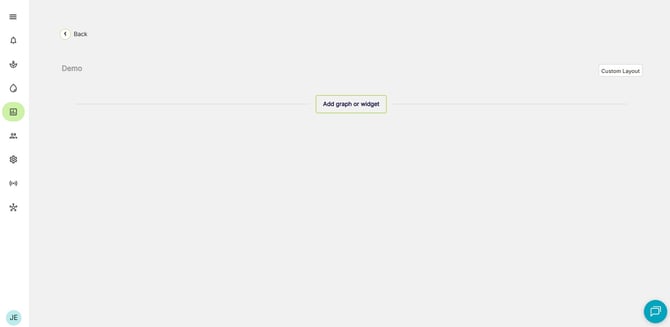
Click 'Add graph or widget' button at the bottom of the page.
You can add up to 10 heatmaps on a single dashboard
You will be presented with the option to select the type of graph or widget that you want:
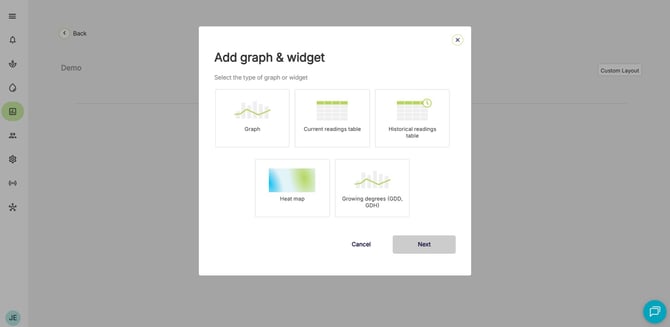
Configuring a Heatmap
-
Give your heatmap a name
-
Choose whether you want to add an image to your heatmap, or a Google Maps location:
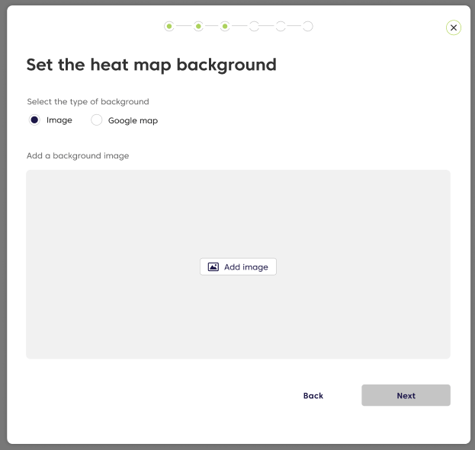
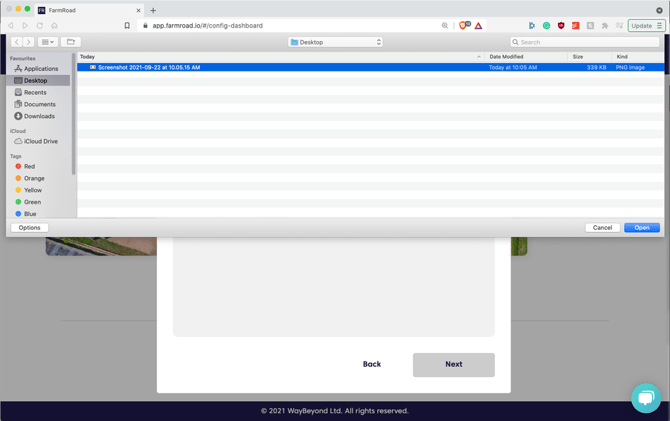
Selecting the 'Image' option will allow you to upload an image of your farm or greenhouse:
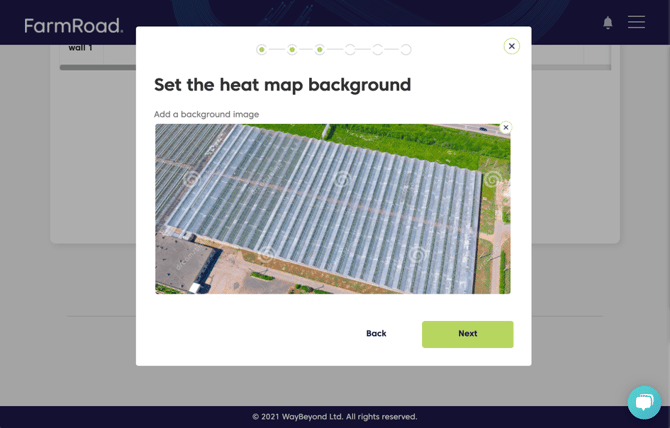
Selecting the 'Google Map' option will allow you to enter an address or location of your farm or greenhouse:
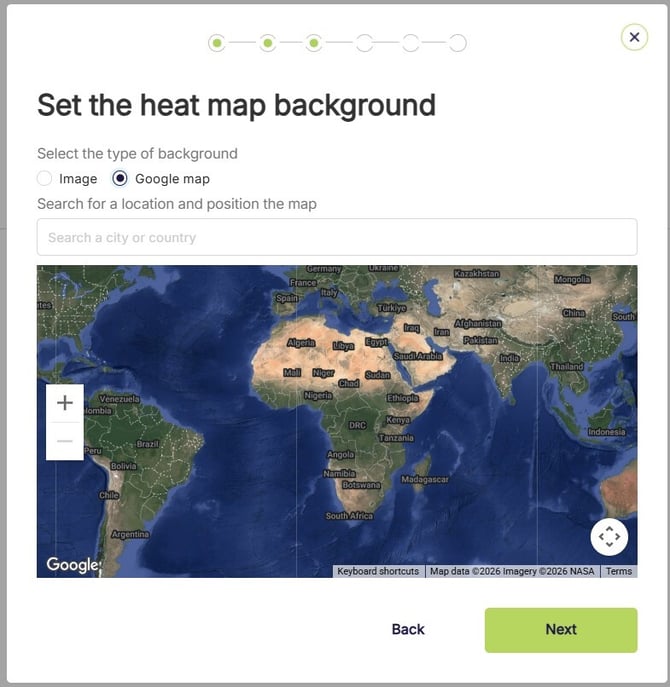
You are able to zoom in and out and pan the image around to get the best fit for your heatmap:
Once you are happy with your image or Google Map location, click 'Done'
Adding Data to a Heatmap
-
Heatmaps support data from integrated sensors like Folium
-
Heatmaps also support data that has been uploaded or manually entered into FarmRoad (this could be Crop Registration or Yield data for example)
- Select the data type you would like to display on the Heatmap
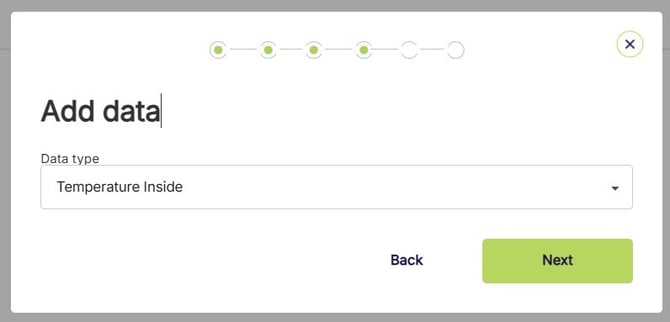
- Select the source of your data
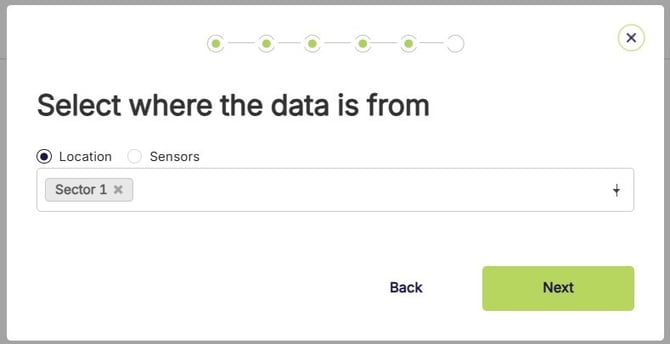
You can pick between a location (such as Farm, Compartment or Sector) or you can pick an integrated sensor that has been linked to your FarmRoad account.
Sensor data is fed into FarmRoad automatically, think of it like 'live data'.
Location data is manually entered or uploaded into FarmRoad. This can be data that is collected with handheld instruments, or crop registration data for example.
Positioning markers on a Heatmap
-
Once you have chosen your data type and sources, you now need to position the markers on the heatmap
- Each data source is assigned a marker
- Drag and drop each marker to the corresponding location on your farm
- This could be the location of the sensor, or the area where the data was manually collected
- Hovering over the marker will show you the source of the data
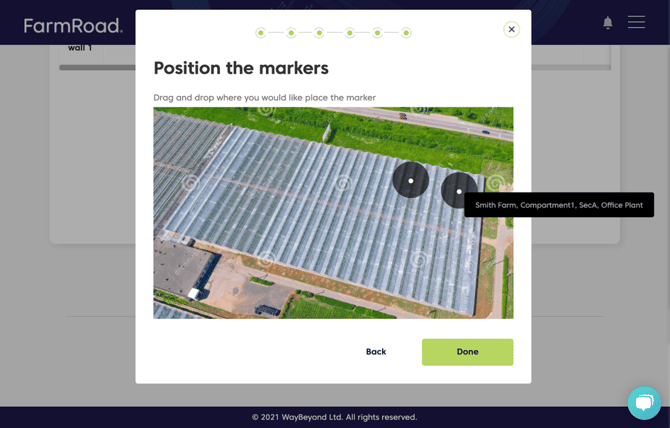
You can add as many markers to the heatmap as you like.
Once you have positioned your markers, hit 'Done'
Using your Heatmaps
-
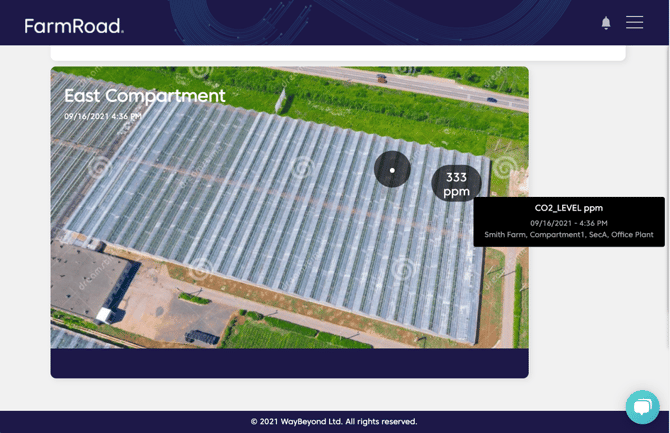
Once you setup your heatmaps you can view the data that is being displayed
- Each marker will display the most recent reading
- Hovering over the marker will give you more information
- If the marker does not have up to date data, it will be blank
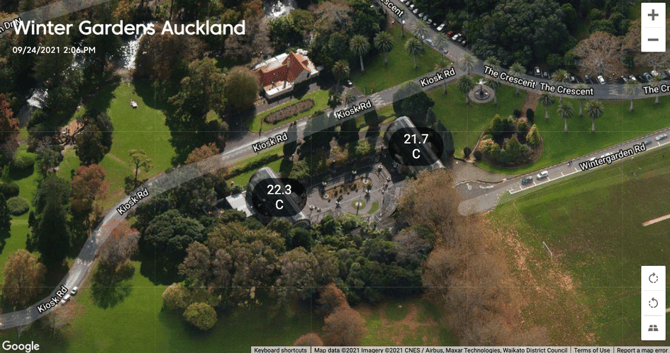
If you are using Google Maps with your heatmap, you can zoom and pan within that heatmap.
This will not change any settings on your heatmap, once you refresh the page your heatmap will return to your saved configuration.
Frequently Asked Question
- Q: What images types are supported?
A: The images that are supported are JPEG and PNG up to 20MB in size. - Q: What's the best format or aspect ratio for my uploaded images?
A: Ideal images will have a ‘landscape view’ (16:9 aspect ratio), similar to the dimensions of a postcard - Q: How many markers can I add to a heatmap?
A: There is no limit to the number of markers you can add to a heatmap - Q: How many heatmaps can I add to a dashboard?
A: Currently you are able to add up to 10 heatmaps on a dashboard - Q: How old can sensor data be before the marker displays as blank?
A: Sensor data can be up to 20 minutes old before the marker displays as blank - Q: How old can location data be before the marker displays as blank?
A: Location data can be up to 7 days old before the marker displays as blank - Q: How many measurement types can I view on a heatmap?
A: The heatmaps supports one measurement type (e.g CO2)